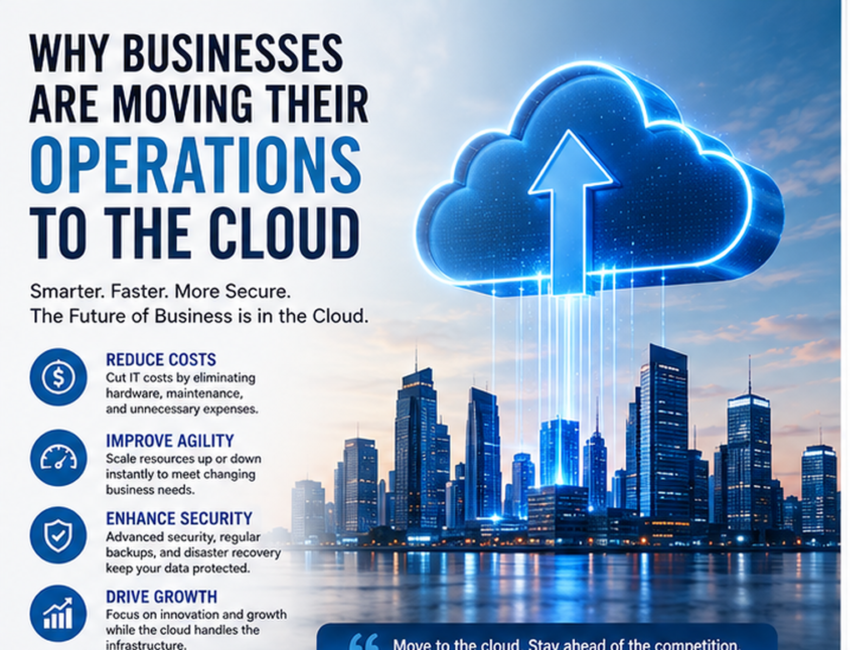
Businesses today are under constant pressure to become faster, more flexible, and more efficient. Customers expect quick service, employees need reliable access to tools and information, and companies must be able to adapt to changing market conditions. As a result, many organizations are rethinking the way they manage technology.
One of the biggest changes is the shift toward cloud computing.
Instead of relying only on physical servers, local storage, and traditional software installations, companies are increasingly using internet-based platforms to run applications, store information, support teams, and manage everyday operations.
This raises an important question: Why are businesses moving their operations to the cloud?
The answer is not based on one single benefit. Cloud technology can help organizations reduce infrastructure requirements, scale more easily, support remote work, improve collaboration, strengthen business continuity, and access advanced technologies more quickly.
This article explains the main reasons businesses are adopting cloud-based operations and how this shift is changing the modern workplace.
What Does Moving Business Operations to the Cloud Mean?
Moving operations to the cloud means transferring certain business applications, data, systems, or processes from local infrastructure to cloud-based platforms.
This can include:
- File storage
- Accounting software
- Customer relationship management
- Website hosting
- Data analytics
- Collaboration tools
- Business applications
- Backup systems
- Artificial intelligence services
A business does not necessarily have to move everything at once.
Some organizations use a fully cloud-based environment, while others use a combination of local systems and cloud services.
The right approach depends on factors such as company size, budget, security requirements, existing systems, and business goals.
1. Lower Dependence on Physical Infrastructure
Traditional IT systems can require substantial investment.
A company may need to purchase and maintain:
- Servers
- Storage systems
- Networking equipment
- Backup hardware
- Software licenses
- Cooling systems
- Physical server space
These systems also require ongoing maintenance and technical support.
Cloud computing can reduce dependence on physical infrastructure by allowing businesses to access computing resources through service providers.
Instead of purchasing large amounts of hardware in advance, companies can often use cloud resources based on their current requirements.
This can make technology easier to manage, particularly for growing organizations.
2. Cloud Services Can Improve Scalability
One of the most important reasons businesses move to the cloud is scalability.
Demand can change quickly.
An e-commerce company may receive a sudden increase in website traffic during a promotion. A growing company may hire dozens of new employees. A software business may need more computing capacity as its customer base expands.
Traditional infrastructure may require businesses to purchase additional hardware before they can support this growth.
Cloud platforms can often provide additional computing resources much more quickly.
Businesses can scale capacity upward when demand rises and reduce it when demand falls.
This flexibility can help organizations use resources more efficiently.
3. Cloud Computing Supports Remote and Hybrid Work
Modern businesses are no longer limited to one physical office.
Employees may work from home, different cities, or multiple countries.
Cloud-based applications make it easier for employees to access business systems from different locations, provided they have appropriate authorization and internet access.
Common cloud-based workplace tools include:
- Shared documents
- Video conferencing
- Project management software
- Customer management platforms
- Team messaging
- Cloud storage
This flexibility can support remote and hybrid working models while allowing teams to stay connected.
However, organizations should also apply strong cybersecurity measures, including multi-factor authentication and secure access controls.
4. Better Collaboration Between Teams
Collaboration can become difficult when employees work with separate files stored on individual computers.
Cloud technology can reduce this problem by allowing teams to work with shared information.
For example, several employees may be able to access the same project document, update data, leave comments, or review changes.
This can reduce the number of duplicated files and outdated versions.
Cloud collaboration can be especially useful for:
- Marketing teams
- Sales departments
- Designers
- Developers
- Finance teams
- Project managers
- Remote employees
When information is centralized and accessible, teams can often work more efficiently.
5. Faster Access to Business Applications
Traditional software may require installation and maintenance on individual devices.
Cloud-based applications can often be accessed through a browser or dedicated application.
This can make software deployment easier.
When a company adds a new employee, the person may only need a user account and appropriate permissions to start using the platform.
Updates may also be handled centrally by the cloud service provider.
This can reduce the time IT teams spend installing and updating software on multiple devices.
6. Cloud Computing Can Improve Business Agility
Businesses need to react quickly to changing conditions.
A new competitor may enter the market. Customer demand may shift. A company may launch a new service or expand into another region.
Cloud technology can make it easier to test and deploy new solutions.
Instead of waiting for new physical infrastructure, businesses can create cloud environments relatively quickly.
This can allow development teams to test applications, run experiments, and deploy new services faster.
Greater agility can be especially valuable in industries where technology and customer expectations change rapidly.
7. Easier Data Storage and Management
Businesses generate increasing amounts of digital information.
This may include:
- Customer records
- Financial documents
- Videos
- Images
- Business reports
- Analytics data
- Contracts
- Employee files
Managing this information locally can become difficult as data volumes grow.
Cloud storage can allow organizations to increase capacity without constantly purchasing additional physical storage devices.
Cloud platforms may also make information easier to organize, search, share, and access.
Businesses should still apply appropriate security, retention, and privacy controls.
8. Improved Backup and Disaster Recovery
Business information can be lost for many reasons.
Possible causes include:
- Hardware failure
- Cyberattacks
- Accidental deletion
- Fire
- Theft
- Natural disasters
- System errors
Cloud-based backup and recovery services can help businesses maintain additional copies of important information.
If local equipment is damaged, cloud backups may help restore data and services.
This can support business continuity.
However, organizations should regularly test backup systems rather than simply assuming recovery will work.
A strong disaster recovery plan should clearly explain how critical systems will be restored after an incident.
9. Access to Advanced Technology
Cloud computing has made advanced technologies more accessible to organizations of different sizes.
Businesses can now use cloud-based services for:
- Artificial intelligence
- Machine learning
- Data analytics
- Automation
- Internet of Things
- Database management
- Cybersecurity
- Application development
Previously, some of these technologies required expensive infrastructure and specialized hardware.
Cloud providers can allow organizations to use advanced tools without building everything internally.
This creates new opportunities for smaller companies to experiment with technologies that were once available mainly to large enterprises.
10. Cloud Solutions Can Support Cost Management
Cloud computing can change the way businesses spend money on technology.
Traditional infrastructure often involves large upfront expenses.
Cloud services frequently use subscription or usage-based pricing.
This can allow organizations to shift some technology spending from major upfront purchases toward ongoing operating expenses.
However, cloud services are not automatically cheaper in every situation.
Poorly managed resources can create unexpected costs.
Businesses should monitor cloud usage, remove unnecessary services, and use cost-management tools to maintain control over spending.
11. Easier Business Expansion
Cloud technology can support businesses entering new markets.
A company expanding into another city or country may not need to build the same amount of physical IT infrastructure at every location.
Cloud applications can provide employees with access to centralized systems from multiple regions.
This can make it easier to support:
- New offices
- Remote teams
- International customers
- New digital services
Cloud platforms can also allow businesses to deploy applications closer to customers in different regions, depending on the services available.
12. Improved Customer Experience
Cloud computing can also improve the way businesses interact with customers.
Cloud-based customer relationship management systems can help organizations store and manage customer information.
Sales, service, and marketing teams can access updated customer records from authorized locations.
Businesses may also use cloud analytics to better understand customer behavior.
This can support faster responses, personalized services, and improved customer support.
Cloud-based systems can also help companies maintain consistent service across different channels.
13. Automatic Updates and Maintenance
Keeping software updated is important for performance and security.
With traditional systems, IT teams may need to manually install updates on many computers or servers.
Cloud-based software providers often manage much of this process.
This means businesses can receive new features and security updates without carrying out every installation manually.
However, organizations are still responsible for managing their own settings, accounts, permissions, and data where applicable.
14. Better Business Continuity
Unexpected disruptions can affect normal operations.
A physical office may become temporarily unavailable. Equipment may fail. Employees may need to work from different locations.
Cloud systems can provide additional flexibility because critical applications and data may not depend entirely on one physical office.
Employees may be able to continue working from other locations if they have secure access.
This can help organizations maintain essential services during disruptions.
Business continuity planning should still include backup procedures, communication plans, and recovery testing.
15. Cloud Computing Can Support Sustainability Goals
Some businesses also consider environmental efficiency when evaluating cloud technology.
Operating private data centers can require significant energy for servers, cooling, and infrastructure.
Large cloud providers may be able to operate computing resources at greater scale and efficiency.
However, the environmental impact of cloud computing depends on factors such as provider operations, energy sources, workload efficiency, and data-center locations.
Organizations focused on sustainability should evaluate providers carefully rather than assuming all cloud services have the same environmental profile.
Public, Private, and Hybrid Cloud Options
Businesses can choose different cloud models depending on their needs.
Public Cloud
Public cloud services are operated by third-party providers.
Customers share the provider’s infrastructure while their services remain logically separated.
Public cloud platforms are widely used because they offer scalability and flexibility.
Private Cloud
A private cloud is dedicated to one organization.
It can provide additional control over infrastructure and configuration.
Private clouds may be suitable for organizations with specialized security, performance, or regulatory requirements.
Hybrid Cloud
Hybrid cloud combines private and public environments.
A company may keep sensitive workloads in a private environment while using public cloud resources for other applications.
Hybrid approaches can offer greater flexibility.
Why Small Businesses Are Adopting the Cloud
Cloud computing is not only for large corporations.
Small businesses can benefit significantly from cloud-based services.
A small company may use the cloud for:
- Accounting
- File sharing
- Website hosting
- Customer management
- Marketing tools
- Video meetings
- Data backup
This can reduce the need for a large internal IT infrastructure.
Small businesses can also add services gradually as they grow.
Why Large Enterprises Are Moving to the Cloud
Large organizations may have different motivations.
Enterprises often manage complex systems across many departments and locations.
Cloud platforms can help them modernize older applications, support global operations, improve analytics, and scale digital services.
Large companies may also use hybrid or multi-cloud strategies to avoid relying entirely on one environment.
Cloud transformation in large organizations is usually a gradual process because existing systems may be highly complex.
Security Considerations When Moving to the Cloud
Security is one of the most important factors in cloud adoption.
Cloud providers may offer advanced security tools, but businesses still have responsibilities.
Important practices include:
- Multi-factor authentication
- Strong passwords
- Encryption
- Access controls
- Security monitoring
- Employee training
- Regular backups
- Permission reviews
Businesses should understand who is responsible for each security function.
This is commonly described as the shared responsibility model.
The provider protects certain infrastructure components, while the customer remains responsible for areas such as user accounts, data, configurations, and access permissions.
Data Privacy and Compliance
Organizations must also consider data privacy and regulatory requirements.
Some businesses operate in industries where customer information must be handled according to specific rules.
Before moving sensitive data to the cloud, businesses should review:
- Where data is stored
- Who can access it
- How it is encrypted
- How long it is retained
- How it can be deleted
- What regulations apply
Professional legal or compliance guidance may be necessary for organizations handling highly regulated information.
Challenges of Moving Operations to the Cloud
Cloud adoption has many benefits, but it also creates challenges.
Potential issues include:
- Migration complexity
- Internet dependency
- Unexpected costs
- Vendor lock-in
- Employee training
- Integration problems
- Security misconfiguration
- Compliance requirements
Older applications may not work efficiently in cloud environments without modifications.
Businesses should therefore avoid moving systems simply because cloud technology is popular.
Each workload should be evaluated carefully.
Common Cloud Migration Mistakes
A poorly planned migration can create unnecessary problems.
Common mistakes include moving too quickly, failing to assess existing applications, ignoring cybersecurity, underestimating costs, and not training employees.
Another mistake is moving every application to the cloud without considering whether it actually benefits from cloud deployment.
A successful cloud strategy should be based on business needs rather than trends alone.
How Businesses Can Move to the Cloud Successfully
A structured migration plan can reduce risk.
A basic approach may include:
- Review existing systems.
- Identify business goals.
- Determine which workloads are suitable for cloud migration.
- Evaluate security and compliance requirements.
- Compare service providers.
- Estimate costs.
- Create backups before migration.
- Test systems carefully.
- Train employees.
- Monitor performance after migration.
Businesses can start with less critical applications before moving important systems.
This can help teams gain experience and identify potential issues.
Is the Cloud Right for Every Business?
Cloud computing can provide significant advantages, but no single technology strategy is ideal for every organization.
Some businesses may benefit from keeping certain systems locally.
Others may prefer a hybrid approach.
The decision should depend on:
- Business requirements
- Security needs
- Budget
- Internet reliability
- Existing infrastructure
- Industry regulations
- Growth plans
A cloud strategy should support business objectives rather than create unnecessary complexity.
The Future of Cloud-Based Business Operations
Cloud technology is likely to remain central to digital business.
Artificial intelligence, automation, analytics, and connected devices increasingly depend on scalable computing resources.
Organizations are also becoming more distributed, making flexible access to applications and information increasingly valuable.
Future business environments may rely on combinations of public cloud, private cloud, edge computing, and on-premises systems.
The focus will increasingly be on choosing the right environment for each workload.
Final Thoughts
So, why are businesses moving their operations to the cloud?
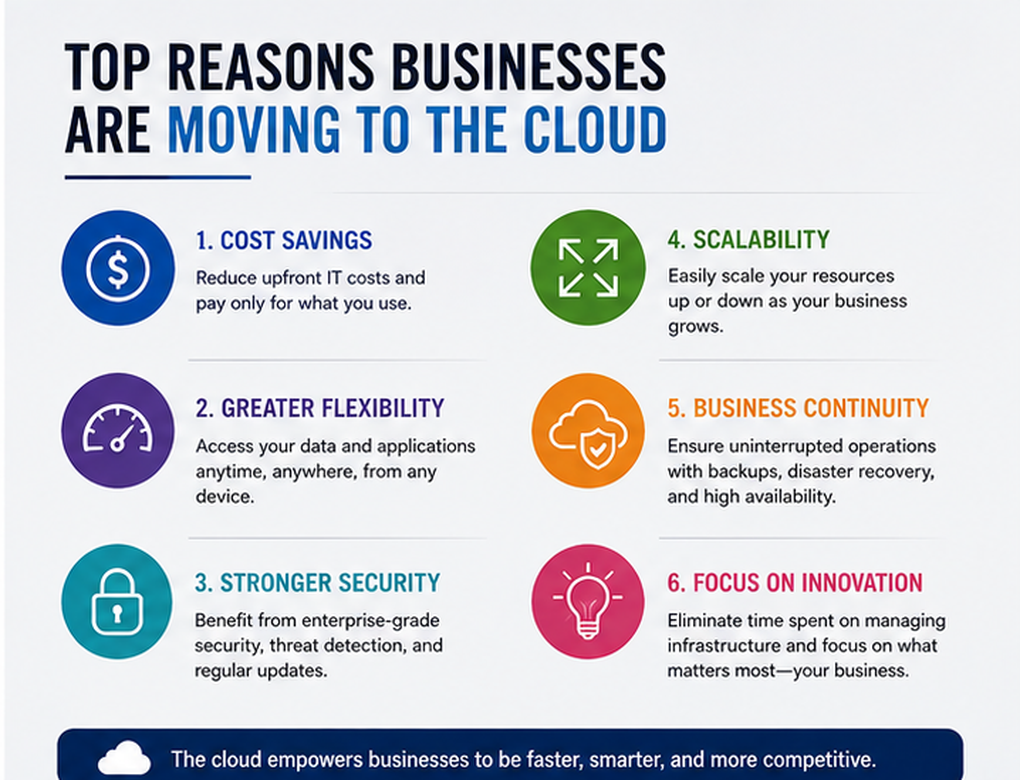
The main reasons include flexibility, scalability, collaboration, remote access, easier data management, business continuity, and access to advanced technologies.
Cloud computing can help organizations reduce dependence on physical infrastructure while making it easier to adapt as business requirements change.
However, successful cloud adoption requires careful planning.
Businesses need to manage cybersecurity, privacy, costs, compliance, employee training, and migration risks.
Organizations that approach cloud computing strategically can use it as more than an IT solution. It can become an important foundation for innovation, operational efficiency, and long-term digital growth.